

iPad M30 Magnetic Charger
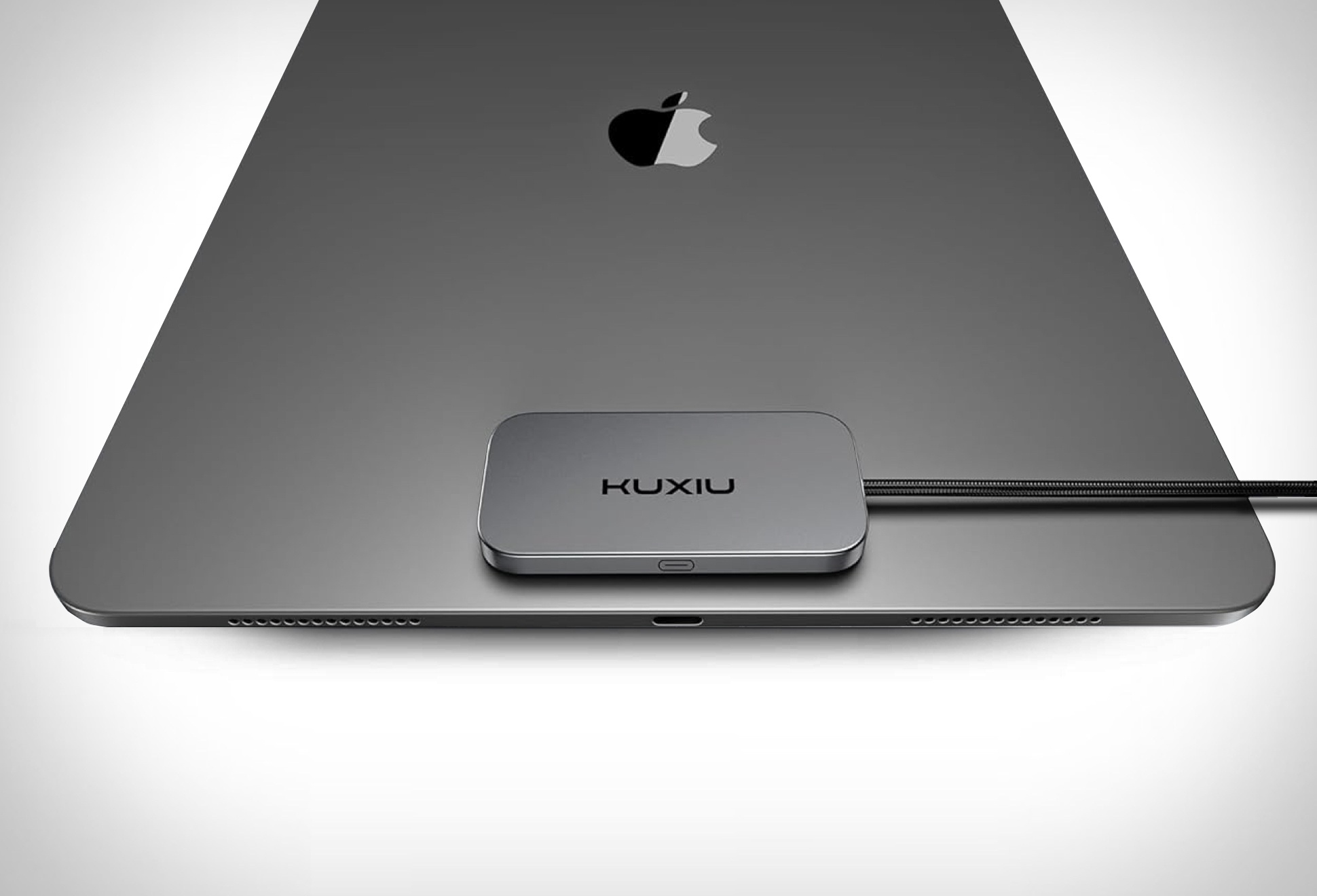
Apple may not have brought wireless charging to the iPad yet, but the Kuxiu iPad M30 Magnetic Charger comes very close. This clever accessory snaps onto the back of supported iPad Pro and iPad Air models via the Smart Connector, eliminating the need to constantly plug and unplug cables. At just 0.2 inches thick, it adds virtually no bulk while keeping your workflow smooth and your Thunderbolt port free for external devices.
The M30 delivers impressive charging speeds, up to 18W on M2 and M3 iPads, and a blazing 35W on M4 iPad Pro models, outpacing even the latest Qi2.2 wireless standard. It is designed to stay cool under pressure, ensuring safe, efficient charging without overheating. A strong magnetic connection keeps it securely in place, while the included 6.65ft braided cable provides plenty of flexibility for desks, bedside , or travel setups.
Beyond speed and convenience, the M30 is built to last. Its premium aluminum alloy housing complements the sleek look of the iPad, while the durable cable ensures long-term reliability. Whether you are streaming, sketching, or editing videos, this charger makes powering up seamless, no more juggling hubs just to keep your iPad charged while using the USB-C port for data transfer.


The M30 delivers impressive charging speeds, up to 18W on M2 and M3 iPads, and a blazing 35W on M4 iPad Pro models, outpacing even the latest Qi2.2 wireless standard. It is designed to stay cool under pressure, ensuring safe, efficient charging without overheating. A strong magnetic connection keeps it securely in place, while the included 6.65ft braided cable provides plenty of flexibility for desks, bedside , or travel setups.
Beyond speed and convenience, the M30 is built to last. Its premium aluminum alloy housing complements the sleek look of the iPad, while the durable cable ensures long-term reliability. Whether you are streaming, sketching, or editing videos, this charger makes powering up seamless, no more juggling hubs just to keep your iPad charged while using the USB-C port for data transfer.