
stuff we drool about

Currency App | Simple Converter

A lot of currency converter apps are available out there, but none are as beautiful and simple as this. "Currency" has a beautiful and intuitive interface with quick access to the conversions you need. With straightforward functionality the app allows you to search through 160 currencies via name, code, or country, and add as many currencies to your favorites list. It also displays a graphic of the chosen currency with historical data of the last six months.. watch the video to see it in action

Get it now from the app store


currency-simple-converter-2.jpg | Image

currency-simple-converter-3.jpg | Image

currency-simple-converter-4.jpg | Image

currency-simple-converter-5.jpg | Image


KNOCK APP - Image

KNOCK APP

Knock is a new app that lets you unlock your Mac by knocking on your iPhone! No more need to keep typing your password every time you get back to your desk, simply knock twice on your iPhone(even works in your pocket), and your Mac unlocks. All you need to do is pair your iPhone via Bluetooth to your Mac, after you finish setup you´re done. If you´re phone  gets lost or stolen, simply sign-in with your old-fashioned password, and disable your iPhone with ...
read more
MOUNTAIN ATHLETICS | BY THE NORTH FACE - Image

MOUNTAIN ATHLETICS | BY THE NORTH FACE

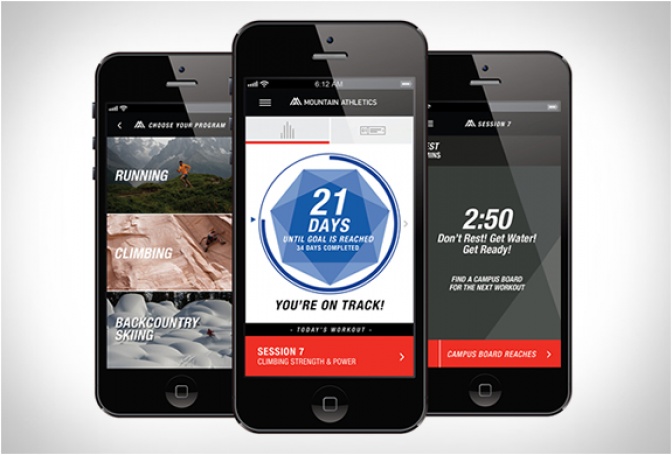
The world´s premier supplier of outdoor apparel The North Face, have unveiled the new Mountain Athletics training app. The pocket personal trainer helps you prepare for athletic goals and outdoor expeditions in the most extreme environments. Mountain Athletics can help improve strength, speed and endurance, which just makes outdoor exploration more enjoyable. Choose from activity-based, goal-specific, strength and conditioning programs to get ready for your backcou...
read more
WAKE ALARM APP - Image

WAKE ALARM APP

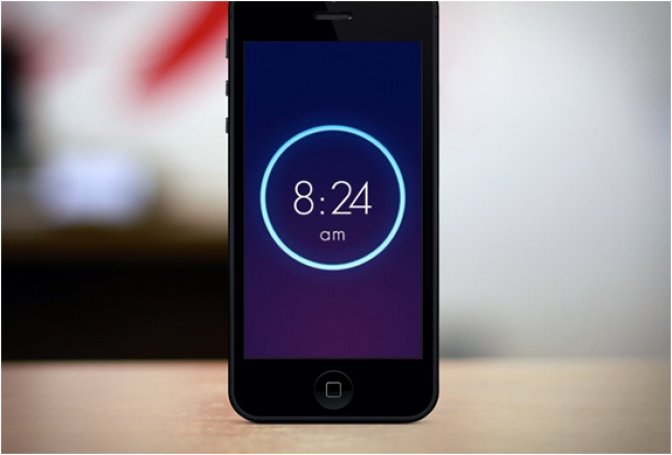
Wake is an original iPhone alarm app created by the company Tiny Hearts. The user interface is gorgeous and highly intuitive, it has the particularity of using gestures to control the application. According to the mode you choose, you can snooze the alarm via a small pat on the screen (if in morning mood slap), turn the alarm off by flipping your phone or shake to wake. It is also possible to set the alarm choosing from 3 difficulty settings in shake mode…perfect ...
read more